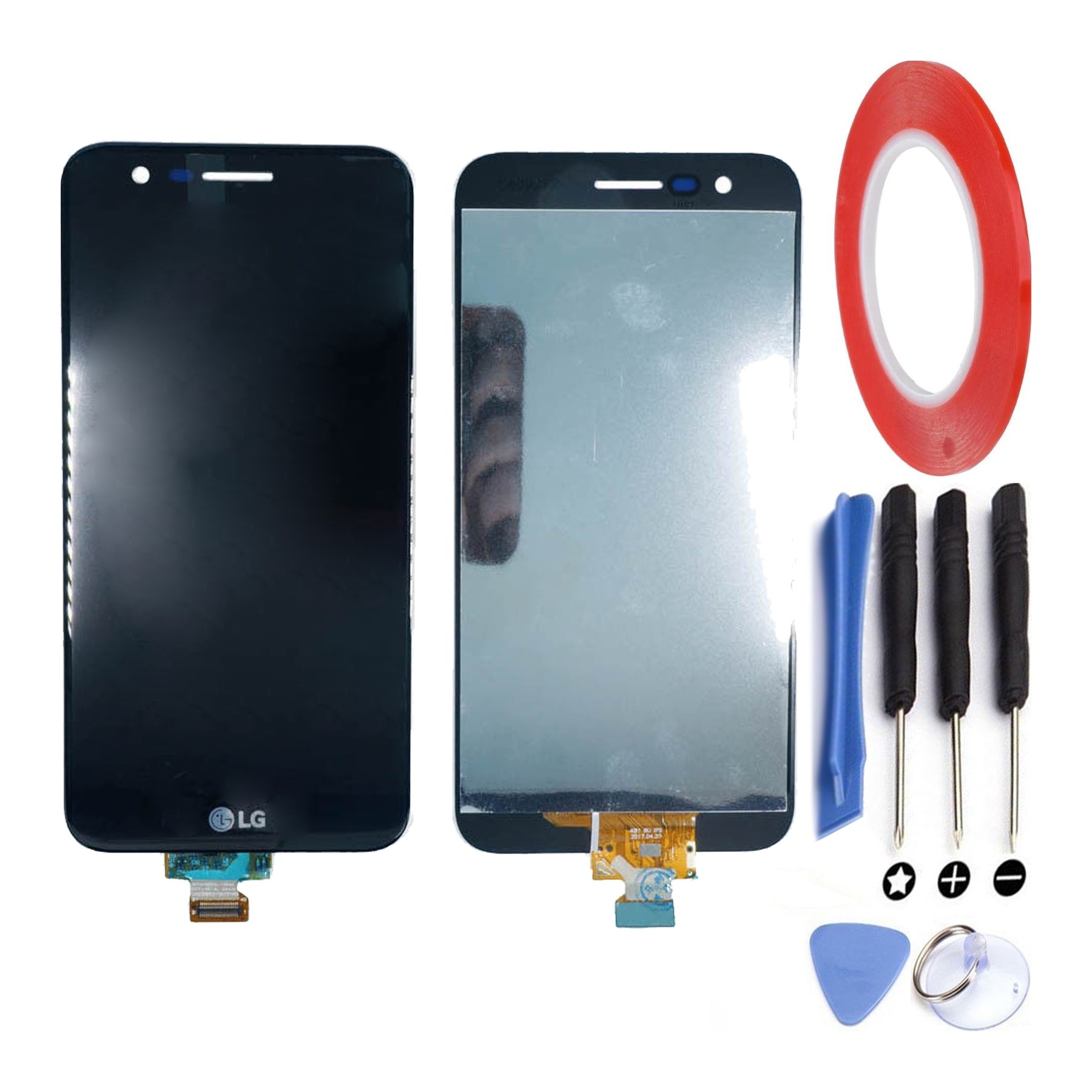
Kit Reparación Pantalla para Lg K10 2017 M250 M250N M250E M250Ds Negra
The Kit Reparación Pantalla para Lg K10 2017 M250 M250N M250E M250Ds Negra is the ultimate solution for anyone who owns an LG K10 2017 and is facing screen repair issues. This kit provides you with all the necessary tools and components to fix your broken or damaged screen, allowing you to enjoy a fully functional phone once again.
Key Features
- Before starting the repair process, make sure to power off your device and disconnect it from any power source.
- Use the provided tools, such as the screwdriver and pry tool, to carefully remove the broken screen from your LG K10 2017.
- Take your time during the replacement process to avoid any damage to the new screen or other components.
- Follow online tutorials or consult professional repair guides to ensure you are following the correct steps and techniques.
- Once the new screen is installed, test it thoroughly before fully reassembling your device.
- If you encounter any issues or difficulties during the repair process, seek professional help to avoid further damage.
The Kit Reparación Pantalla para Lg K10 2017 M250 M250N M250E M250Ds Negra not only offers a solution to your screen repair needs but also provides a cost-effective alternative to purchasing a new phone. With this kit, you can restore the functionality and aesthetics of your LG K10 2017 without breaking the bank.
Frequently Asked Questions (FAQ)
Here are some common questions about the Kit Reparación Pantalla para Lg K10 2017 M250 M250N M250E M250Ds Negra along with their answers:
- Q: Can I use this kit to repair a different LG phone model?
- A: No, this kit is specifically designed for the LG K10 2017. It may not be compatible with other models.
- Q: How long does the screen replacement process take?
- A: The time required for the repair process can vary depending on your technical expertise. It is recommended to allocate at least an hour for the entire process.
- Q: Does the kit come with a warranty?
- A: The exact warranty details may vary, so it's best to check with the seller or manufacturer for specific warranty information.
- Q: Can I install the new screen myself or do I need professional help?
- A: While the kit is designed for DIY installation, it's important to assess your technical skills and comfort level before attempting the repair. If you're unsure, it's advisable to seek professional help.
- Q: Is it possible to return the kit if I change my mind or if it's not compatible with my phone?
- A: Return policies may vary depending on the seller or platform you purchase from. It's advisable to check the return policy before making a purchase.
- Q: Will replacing the screen affect the phone's performance?
- A: If the replacement is done correctly and with high-quality components, the screen replacement should not negatively impact the phone's performance.
- Q: Are there any risks involved in replacing the screen myself?
- A: There are some risks involved, such as damaging other components during the repair process. It's important to follow instructions carefully and proceed with caution.
- Q: Can I still use the touch functionality after replacing the screen?
- A: Yes, the replacement screen includes the touch digitizer, ensuring that the touch functionality will work properly.
- Q: Can I find online tutorials or guides to help me with the repair process?
- A: Yes, there are numerous online resources available, including video tutorials and step-by-step guides, that can assist you with the repair process.
- Q: Is it cheaper to repair the screen myself or take it to a professional?
- A: Repair costs can vary depending on the location and service provider. Generally, repairing the screen yourself can be more cost-effective, but it's important to consider your own skills and confidence level before making a decision.
Remember, if you're unsure or uncomfortable with the repair process, it's always best to seek professional help to avoid further damage to your device.