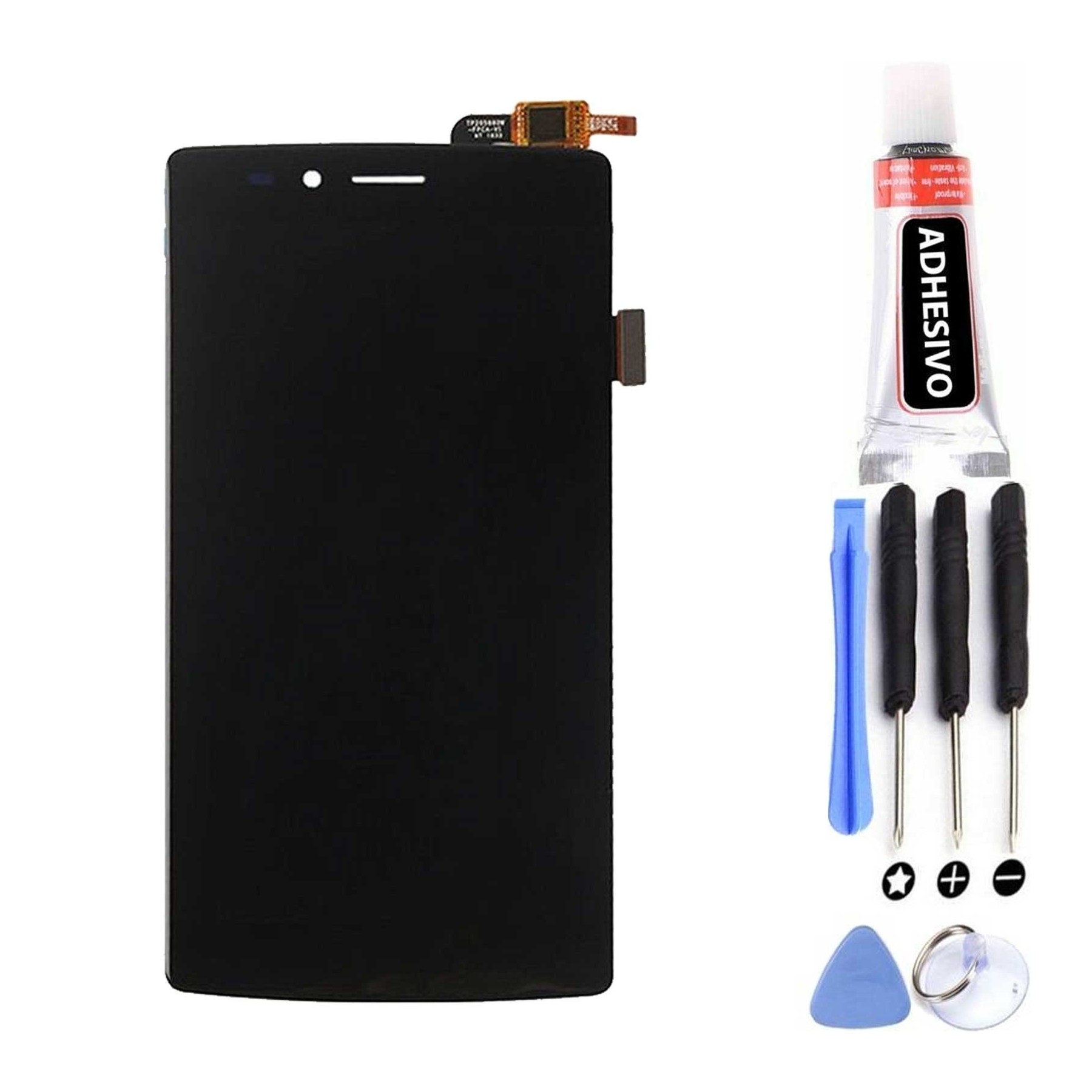
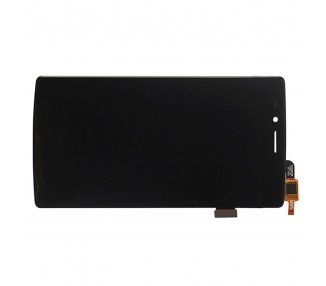
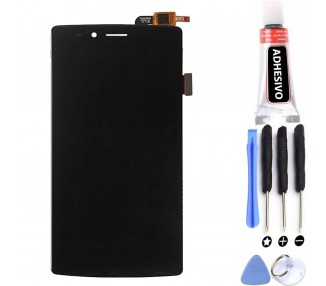
Kit Reparación Pantalla para Vernee Apollo Lite Negra
If you are the proud owner of a Vernee Apollo Lite smartphone and find yourself with a cracked or damaged screen, fear not! The Kit Reparación Pantalla para Vernee Apollo Lite Negra is here to save the day. This incredible product is designed specifically for the Vernee Apollo Lite model, ensuring a perfect fit and seamless replacement. With its sleek black color, it not only restores the functionality of your device but also enhances its overall aesthetic appeal.
Key Features:
- MPN: FPC-T55QUS86V0F
- Marca compatible: Vodafone
- Compatible Model: Vernee Apollo Lite
- Colour: Black
- Tipo: Display
- Marca: Arreglatelo
- Huella Digital: No
The Kit Reparación Pantalla para Vernee Apollo Lite Negra is categorized under Display Assembly, which means that it includes all the necessary components to replace your damaged screen. This comprehensive kit ensures that your Vernee Apollo Lite will be as good as new in no time.
How to Use:
Replacing a phone screen may seem like a daunting task, but with the Kit Reparación Pantalla para Vernee Apollo Lite Negra, it's easier than ever. Follow these simple steps to restore your device to its former glory:
- Ensure that you have all the necessary tools included in the kit.
- Power off your Vernee Apollo Lite and remove the back cover.
- Gently disconnect the old screen from the motherboard.
- Carefully remove the old screen and place the new one in its position.
- Reconnect the new screen to the motherboard.
- Put the back cover back on and power on your Vernee Apollo Lite.
- Voila! Your device is now ready to use with its brand new screen.
With the Kit Reparación Pantalla para Vernee Apollo Lite Negra, you can save time and money by repairing your screen yourself. No need to send your phone off for expensive repairs or wait for days without a functioning device. Take matters into your own hands and get your Vernee Apollo Lite back to its optimal condition in just a few simple steps.
Expert Advice:
We highly recommend watching video tutorials or seeking professional assistance if you are not confident in replacing your phone screen yourself. While the Kit Reparación Pantalla para Vernee Apollo Lite Negra provides all the necessary tools and components, it is important to handle your device with care and follow instructions precisely. If you encounter any difficulties during the repair process, reach out to a qualified technician or contact our customer support for assistance.
Frequently Asked Questions (FAQ):
- Can I use this kit for other Vernee models?
- No, this kit is specifically designed for the Vernee Apollo Lite model and may not be compatible with other Vernee devices.
- Do I need any additional tools to replace the screen?
- No, all the necessary tools are included in the Kit Reparación Pantalla para Vernee Apollo Lite Negra.
- Is it difficult to replace the screen myself?
- It may seem intimidating at first, but with the right tools and following proper instructions, replacing the screen is quite straightforward. We recommend watching video tutorials or seeking professional assistance if you are unsure.
- How long does the replacement process take?
- The duration of the replacement process depends on your experience and familiarity with the procedure. On average, it can take anywhere from 30 minutes to an hour.
- What if the new screen doesn't work after replacement?
- In the rare case that the new screen doesn't function properly, please reach out to our customer support for further assistance or consider consulting with a professional technician.
- Does the kit come with a warranty?
- Yes, the Kit Reparación Pantalla para Vernee Apollo Lite Negra comes with a warranty to ensure the quality of the product.
- Can I return the kit if I change my mind?
- We accept returns within a specified period. Please refer to our return policy for more information.
- Will replacing the screen void my phone's warranty?
- It is possible that replacing the screen yourself may void your phone's warranty. We recommend checking with the manufacturer or your service provider for more information on warranty policies.
- Is it necessary to power off my phone before replacing the screen?
- Yes, it is crucial to power off your device before attempting any repairs to avoid any potential damage.
- What should I do if I accidentally break another component during the replacement process?
- If you accidentally damage another component during the screen replacement, it is advisable to seek professional assistance to avoid further complications.
Don't let a cracked or damaged screen hinder your smartphone experience. With the Kit Reparación Pantalla para Vernee Apollo Lite Negra, you can easily replace your screen and have your Vernee Apollo Lite looking and functioning like new again. Enjoy a seamless and hassle-free repair process with this high-quality kit. Get yours today and give your Vernee Apollo Lite the care it deserves!