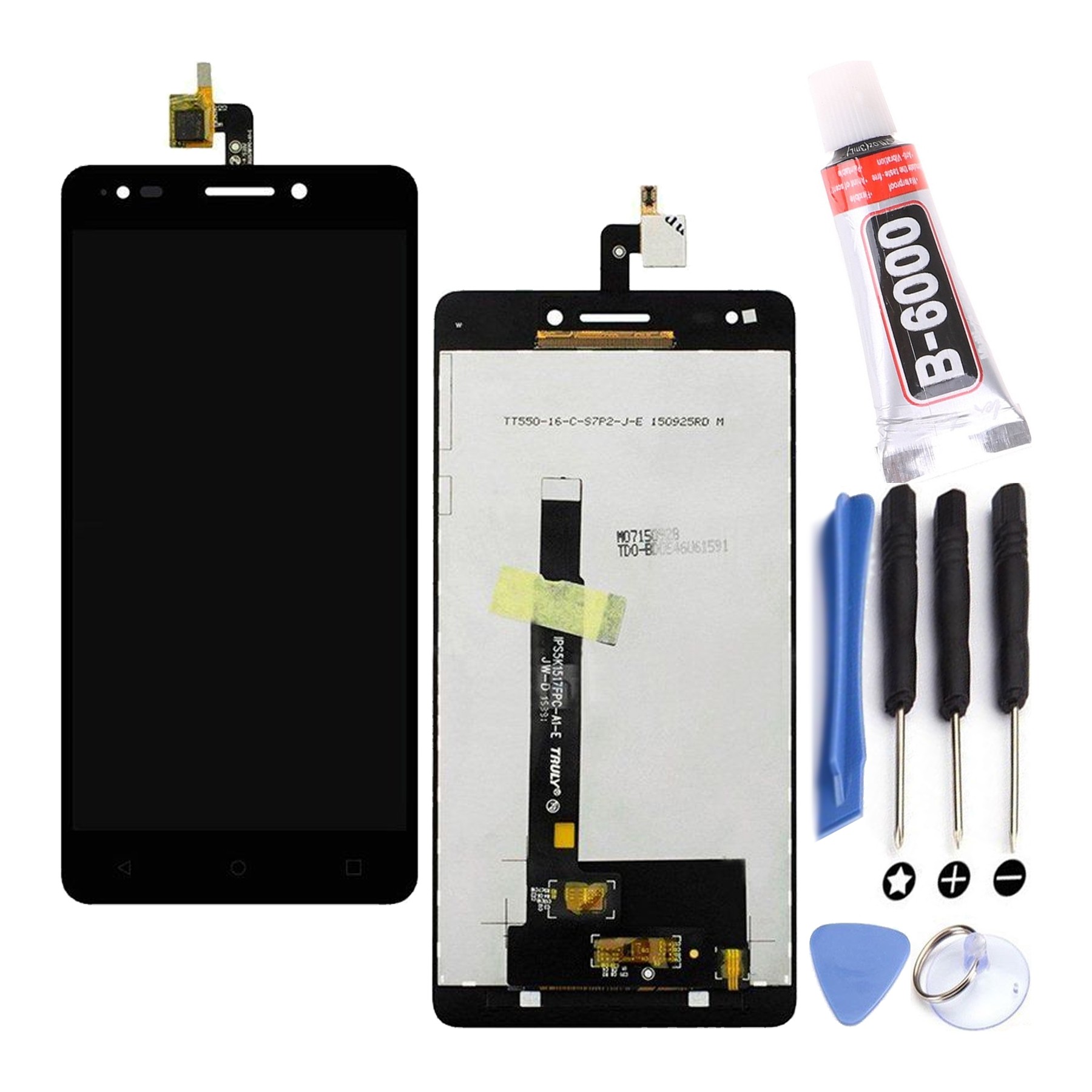
Display For BQ Aquaris M5.5, Color Black
The Display for BQ Aquaris M5.5 in black color is a high-quality replacement screen that ensures a vibrant and crystal-clear viewing experience for your device. With its sleek design and excellent functionality, this display is the perfect solution for anyone looking to restore their phone's visual appeal.
MPN: IPS5K1517FPC-A1-E - This display is designed with precision and attention to detail, ensuring a perfect fit for your BQ Aquaris M5.5 device. The MPN number guarantees its authenticity and compatibility.
Marca compatible: Bq - This display is specifically designed for BQ devices, so you can be confident that it will perfectly fit and work seamlessly with your BQ Aquaris M5.5.
Compatible Model: Bq Aquaris M5.5 - The display is exclusively made for the BQ Aquaris M5.5 model, ensuring a precise fit and optimal performance.
Colour: Black - The black color adds a touch of elegance to your device, giving it a sleek and modern look. It seamlessly blends with the overall design, enhancing the visual appeal of your BQ Aquaris M5.5.
Tipo: Display - This product is a replacement display assembly, which means it includes both the LCD screen and the touch digitizer. With this display, you can enjoy a fully functional and responsive touch screen experience.
Marca: Arreglatelo - The Arreglatelo brand specializes in providing high-quality replacement parts for smartphones. Their commitment to excellence ensures that every product they offer meets the highest standards of quality.
Huella Digital: No - The display does not include a fingerprint sensor. However, it retains all the other features and functionalities of the original screen.
Key Features of the Display For BQ Aquaris M5.5, Color Black:
- Power off your BQ Aquaris M5.5 device before starting the replacement process.
- Use a small Phillips screwdriver to remove the screws holding the back cover in place.
- Carefully remove the back cover and set it aside.
- Locate the old display assembly and disconnect the flex cables attached to it.
- Remove any adhesive or screws securing the old display in place.
- Gently lift the old display out of the device.
- Take the new Display for BQ Aquaris M5.5 and align it with the device's frame.
- Connect the flex cables to the corresponding ports on the new display.
- Secure the new display in place using adhesive or screws.
- Reattach the back cover and tighten the screws.
- Power on your device and enjoy the vibrant and crystal-clear display of your BQ Aquaris M5.5.
Frequently Asked Questions (FAQ):
- Is this display compatible with other BQ models?
- No, this display is specifically designed for the BQ Aquaris M5.5 model and may not be compatible with other BQ devices.
- Does this display assembly include the necessary tools for installation?
- No, the package only includes the display assembly. You may need to use your own tools or purchase them separately for the installation process.
- Is this display covered by a warranty?
- Yes, this display comes with a warranty that covers any manufacturing defects or malfunctions. Please refer to the manufacturer's warranty policy for more information.
- Can I replace the display myself, or do I need professional assistance?
- It is possible to replace the display yourself if you have the necessary knowledge and tools. However, we recommend seeking professional assistance to ensure a successful and damage-free installation.
- Will replacing the display affect the functionality of my device?
- As long as the replacement display is of high quality and compatible with your device, it should not affect the functionality. However, improper installation or using low-quality displays may result in touch sensitivity issues or other problems.
- How long does the installation process take?
- The installation process can vary depending on your skill level and experience. On average, it can take around 30 minutes to an hour to replace the display.
- Is this display water-resistant?
- This display does not offer water resistance. To protect your device from water damage, it is advisable to use a waterproof case or avoid exposing it to water.
- Does the display assembly include the frame or bezel?
- No, the display assembly does not include the frame or bezel. It only includes the LCD screen and touch digitizer.
- Can I use this display to repair a cracked screen?
- Yes, this display is an ideal replacement for a cracked or damaged screen on your BQ Aquaris M5.5 device.
- What if I encounter any issues during the installation process?
- If you encounter any issues during the installation process, we recommend referring to online guides or seeking professional assistance to ensure a successful repair.